
Previously, I explained the essential role of AWS servers in the Amazon Relay platform and how they help reduce latency. Lowering latency significantly boosts the chances of successfully booking loads on Amazon Relay. If you want to dive deeper into how AWS servers help decrease latency and improve performance, you can check out that article. In this article we are going to focus on the integration of AWS servers specifically with Riley application.
The transition from manual server management to automation: Before integrating AWS servers, users of Amazon Relay had to manually create and manage individual servers for the Google Chrome extension. This process was time-consuming, as users had to log in to each server, initiate searches, and ensure everything was set up correctly. Imagine having to manage 50 servers manually. That meant logging in, starting searches, and manually stopping them. This was a nightmare, especially for truckers and dispatchers focused on the task of booking loads and managing operations, not technical maintenance.
Automatic Server Management: Now, with Riley's AWS-powered system, those manual burdens are gone. The AWS servers are fully integrated into the application, allowing users to select the number of servers they need for any given task with just a few clicks. Since all searches are conducted on AWS servers, users don’t need to worry about their internet connection or ping. The system ensures optimal performance with the best ping available, regardless of their local internet quality. This way, users can focus entirely on their operations, knowing that server speed and stability are taken care of. No more manual logging into individual servers—Riley handles all of that automatically, ensuring that users can focus on their core tasks: driving, dispatching, and booking loads.
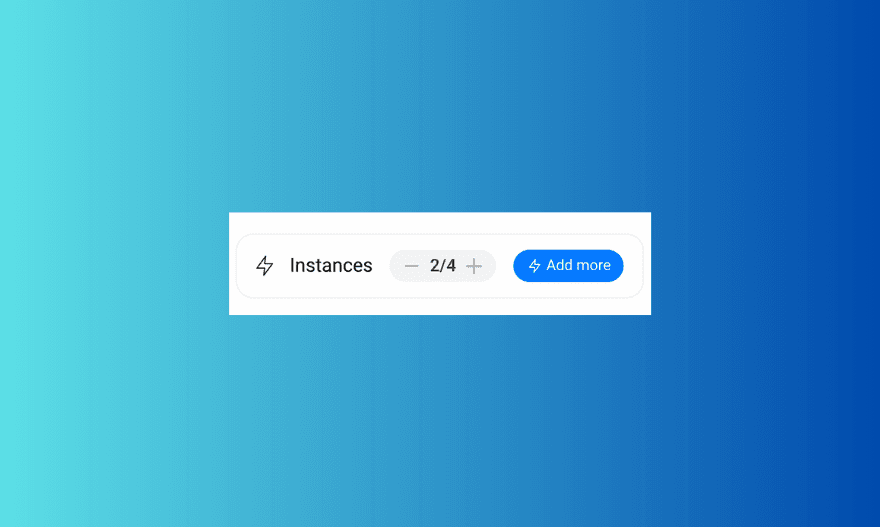
Main Dashboard - Total Servers
This image displays the number of servers running across the entire account, visible on the main dashboard.

Task-Specific Servers
This image shows the number of servers assigned to a specific task, allowing for more control over individual searches.
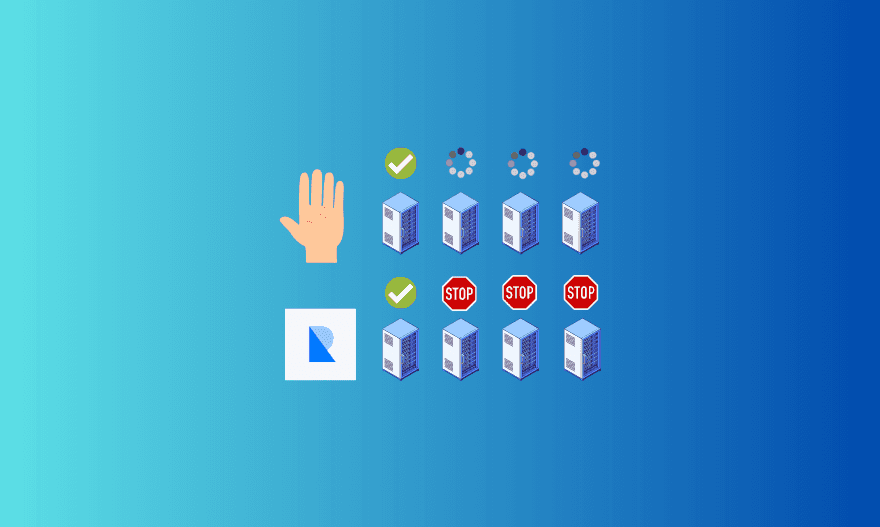
One of the key advantages of Riley's AWS instances is the ability to automatically manage multiple servers. This means that users no longer have to manually start or stop individual servers. In the past, if you booked a load but wanted to prevent overbooking, you had to manually stop each server. With Riley, this process is seamless. The servers communicate with each other, and once the desired number of loads is booked, the system automatically prevents further activity. This automation eliminates the need for users to manually intervene, freeing up valuable time that can be better spent on more productive tasks, whether it’s dispatchers coordinating with drivers or truckers focusing on their routes and rest.
Automated Server Management in Riley
This image illustrates Riley's automated server management seamlessly stops servers after booking the desired loads, eliminating manual intervention.
How Many Servers Do You Need?
One of the most common questions we receive is, "How many servers do I need?" The answer depends on several factors, including competition and operational needs.
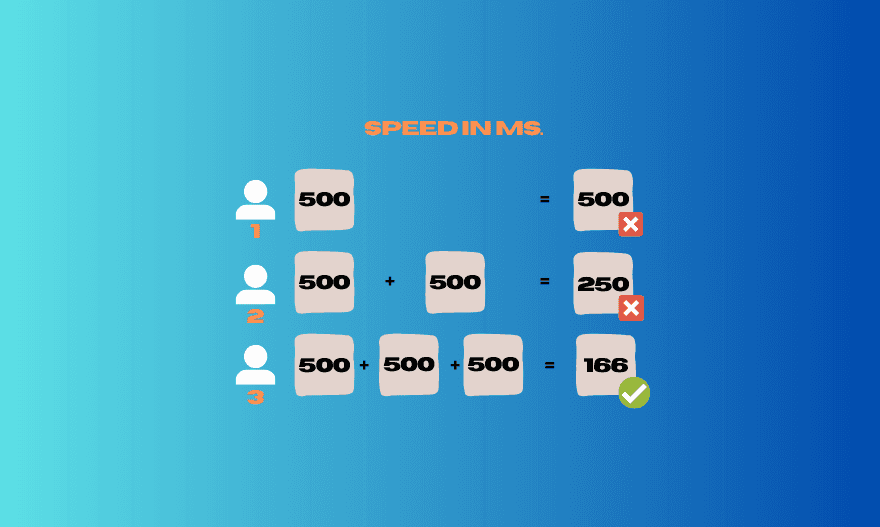
More Servers Help You Book Loads Faster: In highly competitive environments, adding servers can significantly boost your chances of securing loads. For example, if you’re running one server at a speed of 500ms, adding a second server will effectively cut your booking time in half. Imagine you’re trying to catch fish in a lake. If you only have one fishing pole, you might catch one fish every few minutes. But if you have two fishing poles, you can catch fish twice as fast because you’re covering more area. The more fishing poles you have, the more fish you can catch in less time. Now, think of servers like those fishing poles. When you’re booking loads, one server works at a certain speed. If you add another server, it’s like adding another fishing pole—you can "catch" loads twice as fast! And if you keep adding servers, you can book loads even quicker. So, in busy situations where lots of people are trying to book loads at the same time, having more servers helps you stay ahead and grab the loads faster than others.
Increased Speed with Multiple Servers
This image demonstrates how adding more servers increases the speed of your search. With one server running at 500ms, the time remains the same. Adding a second server cuts the time in half to 250ms, and adding a third server reduces it even further to 166ms. The visual highlights the significant speed improvements achieved by using multiple servers, giving users a competitive edge when booking the loads.
Regional constraints: Additionally, if your operations span multiple locations or regions, you may need to activate multiple servers to target different load searches simultaneously. It's important to note that servers used for one task cannot be used for another task until you stop the first one. This means you’ll need enough servers available to handle different tasks without overlap, ensuring smooth operations across all your search areas. Moreover, different regions or areas can vary in terms of competition. Some locations might have more people trying to book loads, while others may be less competitive. This difference means you might need more servers in highly competitive areas to increase your chances of booking loads, whereas in less competitive regions, fewer servers could be sufficient.
Server Allocation Across Multiple Tasks
This graphic illustrates how servers are distributed across multiple tasks. With a total of 10 servers available, Task 1 and Task 2 both use 5 servers each, leaving no servers for Task 3, which requires 3. The checkmarks indicate tasks that are properly allocated within the available server limits, while the "X" shows that Task 3 cannot be completed due to insufficient server capacity.

Pay-as-You-Go Pricing Approach
At Riley, we offer a simple pay-as-you-go pricing model, charging daily for the servers you use. You pay only for the servers you need, for as long as you use them, without the need for long-term contracts or complex licensing. Our pricing works like your everyday utilities—just like water or electricity. You pay only for what you use, and once you stop using our servers, there are no extra costs or termination fees. For more details about our current pricing, please visit the billing section of our website.
If you have any questions or need more information about how servers work within Riley or how to optimize your setup, feel free to email us at admin@rolling-global.com. We're here to help!